 AasimNaseem

Hi everyone;
So long its been when I last posted anything on my blog; The reason was again the same, some tight schedules and some other home activities; But Notw I'm back; Say welcome please; (:
Today's post is simple; Now a days me and my team is using Git for our code management; So here are some git commands for daily usage; I'm not going to describing their usage in details; This post is for busy developer who just want to know the exact syntax of a command for a particular requirement;
So here we go ...
updated on 10 jan, 2k12:
git-blame Show what revision and author last modified each line of a file;
git branch –contains Only list branches which contain the specified commit;
updated on 21 Dec, 2k12:
Every command has its own set of options, which are used with hyphen sign; Like commit command has one option -m with is used to provide a commit message; In this post I'm not covering the options's details in depth; This article is only for a quick reference;
Fetching code from a repository;
git clone git@IP-ADDRESS-OR-URL-OF-SERVER:example.git
This command will download all code from a particular git repository to your system; This is equivalence to SVN/CVS checkout;
git pull origin <branch name> Will fetch updated code from remote repository to your system; Its just like update in SVN/CVS;
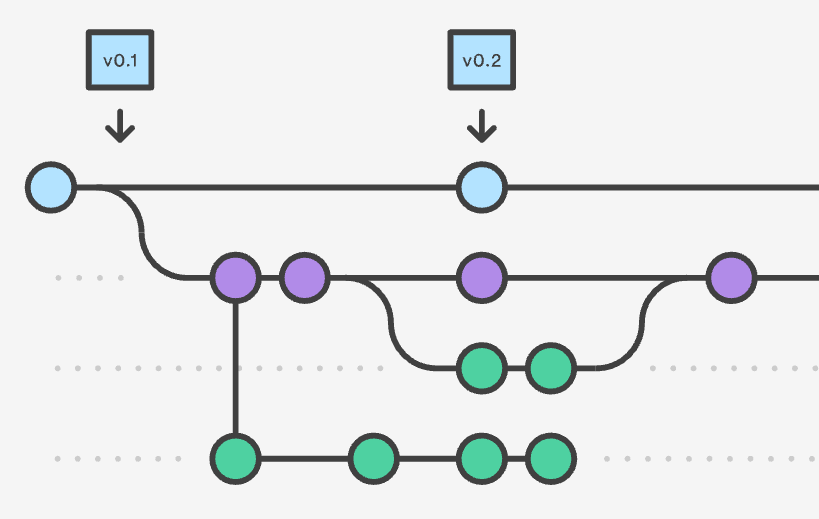
Play with branches
git branch Will display all branches of your current repository
git branch dev Will create a new branch named dev, to current repository; Note that this branch is only to your local repository;
git checkout dev You will be switched to dev branch locally;
git checkout -f B2 Forcefully switch to B2, reverting all your changes of current working branch;
To commit your code
git status Will show all your changes for current working branch;
git add <file/directory name> Will add a file or directory in commit queue of git; This commit is only to your local repository; You can add one or more files/directories with this command;
Tip: If there are more then on file in a directory, then just use the directory name in add command and git add will all modified files to commit queue itself;
git add -u will removed deleted files from git status message; Sometimes many deleted files are shown in git status log, so this command will remove those deleted files form git's logs;
git commit -m "message" Will commit the previously added files to current local repository;
git push origin dev will send your changes from local repository to remove git repository; This action is same as commit in svn; Now your code is actually submitting to remote server;
To merger code from B1 branch to B2 branch
Assuming that you have pushed all your local changes to remote B1 branch ;
git checkout B2 Will switch you from previous branch to B2 branch;
git merge B1 Will merge the code in B2, from B1; (The code of B1 will be merged in B2 and B1 will remain intact) Again note that this change will occur only to your local repository;
git push origin B2 Will push your code to remove B2 branch, from your local repository;
To Revert your changes in local repository
git checkout path/to/file/to/revert This will revert all the changes of a single file; It checksouts the current index for the current directory, throwing away all changes in files from the current directory downwards.
git reset --hard HEAD Will revert all of your changes in current working branch; The command is save as svn revert -R .
If you know any command of git for daily use, just dont' hesitate to share with us;
Happy Development; (:

Categories & Tags
Comments (8)
git branch --contains
git blame
They are very useful for finding your way in a repository.
Leave a Reply