 AasimNaseem
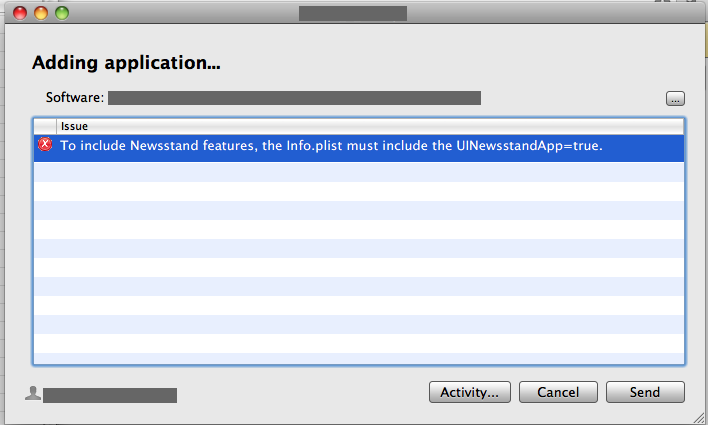
To include newsstand features, the info.plist must include uinewsstandapp=true.
But I don't use Newsstand; I don't want to use it. So where was my mistake?
For some background knowledge of Newsstand, with the release of iOS 5, iOS organizes your magazine and newspaper app subscriptions in Newsstand: a folder that lets you access your favorite publications quickly and easily. There’s also a new place on the App Store just for newspaper and magazine subscriptions. (source: Apple iOS features) After some searching on search engines, I found that iOS adds an attribute in your projects' info. plist for newsstand, requiring you to add icons for this feature; You can find this entry under Icons files and/or Icons files (iOS5) group; If you don't want to use this feature, simply delete this group via (-) infront of this entry.
Clean your project and reArchive to validate again. Hopefully this issue will be resolved.
If I'm missing anything regarding the issue, kindly share.
If you don't want to use this feature, simply delete this group via (-) infront of this entry.
Clean your project and reArchive to validate again. Hopefully this issue will be resolved.
If I'm missing anything regarding the issue, kindly share.

Comments (2)
Leave a Reply